
Mobile Msport Login and Password Tips for Nigeria
Learn how to easily manage your Mobile Msport login, create strong passwords, reset forgotten ones and keep your account secure here in Nigeria 🇳🇬🔐📱
Edited By
James Adebowale
Accessing MSport on older mobile phones in Nigeria comes with its own set of challenges. Most older devices, especially feature phones, don't support the modern apps or high-speed internet speeds required by many digital platforms. But if you're an MSport user or gambler relying on a device without 4G or smart operating systems, there are practical ways to stay connected.
Older phones often lack compatibility with Android or iOS MSport apps. Instead, you can use USSD codes or the MSport mobile website designed for low-end devices. For example, many MSport services support shortcodes that work on basic phones without internet. This allows you to place bets, check balances, and see live scores.
Mobile network quality also plays a major role. In many parts of Nigeria, 2G or 3G networks still dominate, so it's crucial to pick the optimal MSport access method that suits your connection speed.
To optimise your experience on feature phones or older smartphones, consider these tips:
Use MSport's USSD service where possible. It's designed for simplicity and speed.
Access the mobile web version via your browser; avoid downloading heavy apps.
Keep your phone’s firmware updated to the latest version available.
Regularly clear cache and close background apps to free memory.
Use lightweight browsers such as Opera Mini or UC Browser for quicker page loads.
If you have an older smartphone but struggle with lag or crashes, removing unnecessary apps and limiting multitasking can help MSport run smoother. Also, managing your data bundle efficiently helps avoid disconnections during betting sessions, especially when placing live bets.
Understanding these practical approaches makes it easy to stay in the game, even with a limited device. Whether you’re betting during ember months or following a tournament, these methods ensure you don’t miss out on MSport thrills just because your phone is not the latest model.
To make the most of MSport, it helps to understand what it offers and how easily you can access it on your mobile device. MSport, a popular sports platform in Nigeria, provides live updates, betting options, and game analysis, making it a go-to for football lovers and sports gamblers alike. But its availability isn’t uniform across all devices, especially when dealing with older phones.
MSport supplies real-time match results, betting tips, and odds on local and international games. For instance, fans tracking the Nigerian Professional Football League or global tournaments like the English Premier League rely on MSport for quick updates. Besides scores, MSport often provides expert predictions and a user-friendly interface for placing bets securely. This makes the platform valuable for punters who want accurate information without delays.
To be clear, MSport also offers tournament schedules, player statistics, and highlights, which help sports enthusiasts stay connected even when they can’t watch live games. Whether you’re at a bustling market in Lagos or awaiting your danfo ride, MSport keeps you in the loop.
While newer smartphones fully support all MSport features — including high-definition video streaming and seamless navigation — older mobile phones face some limitations. Feature phones and older smartphones often lack the processing power or software compatibility to run MSport’s latest app versions smoothly.
For example, an older Nokia phone might only handle USSD codes or SMS services to fetch match updates and betting information. These methods are less interactive but quite reliable on basic devices. On the other hand, older Android phones may sometimes run lightweight or legacy MSport apps, though with reduced functionality compared to newer models.
Understanding these distinctions helps you pick the best way to access MSport on your phone. It also informs whether upgrading your device is necessary or if you can optimise existing hardware to enjoy a good experience.
Staying connected to your favourite sports action depends largely on how well your phone supports MSport’s technology. Knowing your device's capabilities can save you time and improve your betting or viewing experience.
In the sections that follow, you'll find practical ways to overcome device limitations and ensure the best MSport experience on older phones common across Nigeria.
Many Nigerians still rely on older mobile phones, including basic feature phones and early smartphones. These devices face specific hurdles when accessing MSport, a popular sports streaming and information platform. Being aware of these challenges helps users find practical solutions to stay connected and enjoy MSport services effectively. The main issues often relate to network quality, data costs, and the technical limits of ageing phones.
Older phones typically work on 2G or 3G networks, which are much slower than 4G or 5G. In Nigeria, especially outside major cities like Lagos, Abuja, or Port Harcourt, network coverage might be patchy. This leads to buffering or failed connections when streaming live matches or accessing real-time sports updates on MSport. For example, a fan in rural Ondo relying on a feature phone may struggle with slow page loads or dropped calls.
Data cost is another big factor. Many older phones lack advanced data-saving features, so users may exhaust their ₦200 daily data budget within minutes on live streaming. The limited RAM and processor speed on these devices also mean apps consume data less efficiently, increasing costs. This situation calls for users to seek affordable, data-efficient options to enjoy MSport without breaking the bank.
Older phones pose software compatibility issues. MSport apps or mobile websites often require newer versions of browsers or operating systems not supported by these devices. For instance, a feature phone running KaiOS or an outdated Android version may not load all MSport features properly or could crash frequently. This hardware-software mismatch frustrates users who want quick access to scores, live commentary, or betting interfaces.
Screen size and resolution on older phones also limit user experience. A small, low-resolution screen cannot display high-definition streams or detailed graphics typically available on MSport’s platform. Additionally, limited storage capacity restricts installing updated versions of MSport apps or third-party browsers necessary for smoother operation.
Addressing these challenges requires practical approaches such as using USSD codes, lightweight browsers, or legacy app versions optimised for older devices. Knowing these common hurdles helps you prepare and navigate MSport services on your device more confidently.
Understanding these core limitations will guide you towards solutions that fit your device’s capacity and your location’s network conditions. The next sections will explore concrete steps to overcome these challenges.
Feature phones remain widely used in Nigeria, especially outside the major cities where smartphones may be scarce or costly. For many sports enthusiasts and MSport users, finding practical methods to access the platform on these devices is essential. Unlike smartphones, feature phones often lack advanced software or fast internet capabilities, but there remain effective ways to tap into MSport’s services without needing the latest gadget. This section focuses on straightforward, cost-effective options that help feature phone users stay connected.
Unstructured Supplementary Service Data (USSD) offers a quick way to interact with services via simple codes typed into your phone’s dialler. It does not require internet, making it ideal for older feature phones. When you dial a specific USSD code, you receive instantaneous menus or messages that let you check sports updates, place bets, or view scores in real time. The beauty of USSD is its simplicity and low data cost, often free or charged at minimal rates by Nigerian network providers.
Using USSD for MSport means you can keep track of game results and place bets without the need for browsers or apps. Even with basic phones that lack internet or advanced apps, you remain connected to all the essential features MSport provides.
MSport has worked with Nigerian telcos like MTN and Airtel to roll out USSD codes tailored for their users. Common USSD codes include short strings such as 12345# or 456789 (note: these are example formats). Users dial these codes to access MSport menus, check live scores, or submit betting tips via SMS. These codes are especially useful where data is expensive or unreliable.
Since network availability varies by region, it’s wise to verify your provider’s exact USSD code for MSport either from customer care or official MSport announcements. This approach saves you data charges and avoids browser compatibility issues on feature phones.
While most feature phones have basic browsers, some support lightweight alternatives better suited for slow or limited connections. Examples include Opera Mini and UC Browser Mini, both popular in Nigeria for their data-saving features and modest hardware requirements.
These browsers trim down page content, compress images, and reduce scripts to speed up loading times on slow networks common outside urban centres. Using these lightweight browsers can help you access the MSport website or web app more reliably than default browsers, ensuring smoother navigation on older phones.
Once you pick a lightweight browser, adjusting some settings can further enhance MSport access. Disable images or lower image quality to prevent slow page loads. Enable data compression features if available, to cut your internet costs even further. Also, clear your browser cache periodically to free up space and improve performance.
Setting the browser to request the mobile version of websites often makes pages simpler and faster to load, especially when visiting MSport’s mobile site. These small tweaks help reduce frustration caused by freezing screens or dropped pages, common with feature phones.
Tip: Always keep your phone’s software updated to the latest version supported by your device to maintain compatibility with browsers and USSD codes.
Using USSD alongside lightweight browsers creates reliable access points for MSport on feature phones. This combination ensures users don’t miss out on sports updates or betting opportunities, despite working with limited technology.
Older smartphones in Nigeria still hold considerable potential for accessing MSport, especially when you explore alternative app and data strategies. These options help overcome device limitations like low memory, outdated operating systems, or slower processors commonly found in older models. Understanding these approaches ensures you don't miss out on the latest sports updates and betting opportunities even without a brand-new phone.
Finding the right app version matters when your phone cannot handle the newest releases. Lightweight or legacy MSport apps are designed to use fewer system resources, making them suitable for devices with limited storage or slower CPUs. Trusted sources include official MSport platforms offering downloadable APK files for past versions, or well-known Nigerian app stores that curate older app releases. You should avoid random third-party sites to prevent malware risks.
After obtaining the APK, you will need to allow app installations from ‘unknown sources’ in your phone’s security settings. Then, simply tap on the downloaded file and follow the on-screen prompts to install. For smooth running, clear cache and uninstall heavy apps to free up space. Legacy apps generally skip unnecessary animations and high-resolution graphics, so expect a faster, more responsive experience despite your phone's age.
Mobile data costs can escalate quickly, especially when streaming sports content or placing bets online. To save data, adjust the app or browser settings by disabling auto-play videos and setting content quality to low or medium. Use data compression features found in browsers like Opera Mini or Google Chrome Lite. Also, switch off background app refresh to prevent apps draining data without your knowledge.
Many Nigerian telecom providers offer data packages tailored to casual users of older smartphones and feature phones. For example, MTN Pulse and Airtel SmartTRY plans provide affordable bundles targeting lower data consumption. These plans usually come with daily or weekly validity and are ideal if you only use MSport intermittently. Always watch for promotions during ember months when telcos reduce prices, helping you stretch your naira further.
Accessing MSport on older smartphones is possible without splashing large sums on new devices. With the right app versions and smart data use, you can keep enjoying sports updates and bets anytime, anywhere across Nigeria.
Using MSport on older mobile devices in Nigeria comes with a set of challenges, but some practical tips can significantly enhance your experience. Focusing on network stability and device performance helps reduce interruptions during live updates or streaming, which is crucial for sports fans and players who rely on timely information.
Network quality varies widely across Nigeria, especially when using older phones that may not support newer technologies like 4G or LTE. To stay connected to MSport smoothly, selecting a network provider with good 2G or 3G coverage in your area matters. For instance, MTN and Airtel generally offer better rural coverage, while Glo sometimes provides faster speeds in urban zones. Comparing signal strength and data reliability for your location can save you from frustrating dropouts.
Even with a decent network provider, signal strength depends a lot on where you are. Walls made of thick concrete or living deep inside buildings can weaken your reception. Try moving closer to windows or going outside when accessing MSport. In Lagos, for example, being near a high-rise might give a poorer signal compared to street level where there are more cell towers. Sometimes, even standing near a metal door can block network signals, so gentle adjustments of your position can help improve connectivity.
Older phones tend to have less efficient batteries, so streaming live scores or updates from MSport can drain power fast. Lowering your screen brightness and closing other apps that run in the background can extend your phone’s life during a game. Turning off automatic updates or notifications unrelated to MSport also reduces battery usage. If you're using a feature phone, avoid extended live streaming and opt for text updates to conserve power.
Older devices often struggle with limited storage and slow performance, which can affect how smoothly MSport runs. Regularly clearing cache files can free up space and reduce app lag. On Java-based phones or older Android variants, navigate to settings and delete temporary files or uninstall apps you no longer use. Keeping storage clean ensures MSport runs faster and makes navigation between pages less cumbersome.
To enjoy MSport fully on older phones, stable network access paired with smart battery and storage management is key. Simple changes can turn a difficult experience into one that's mostly seamless.
By focusing on these tips, you stay better connected and keep your device working efficiently as you follow your favourite sports action across Nigeria.
Learn how to easily manage your Mobile Msport login, create strong passwords, reset forgotten ones and keep your account secure here in Nigeria 🇳🇬🔐📱
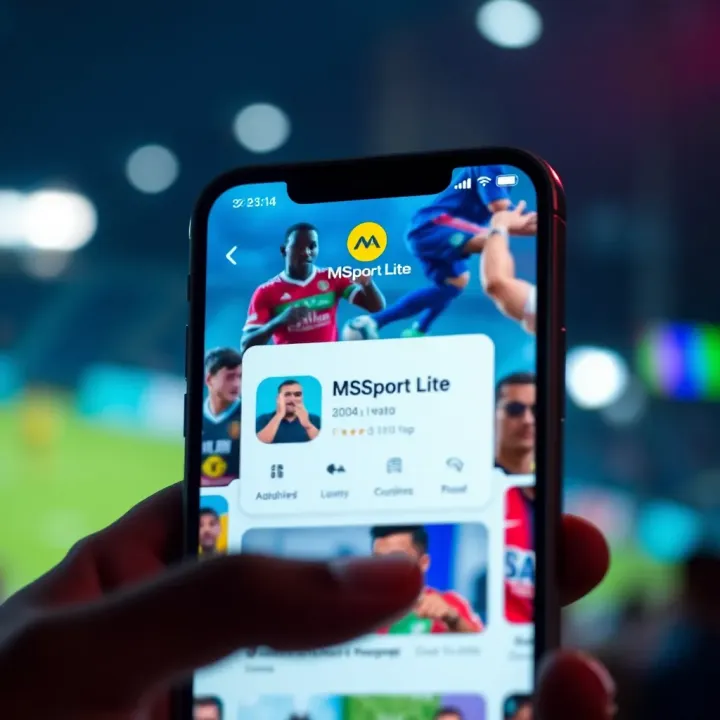
Get quick access to MSport Lite login in Nigeria 🏆. Discover smart tips to navigate the app, secure your account, and enjoy seamless sports betting with ease ⚽📲.
⚽ Discover Msport Mobile: Nigerian sports fans can easily access live scores, news, and updates. Learn setup tips, benefits, and stay safe using the app.
📱 Learn how to register and log in to Mobile MSport in Nigeria easily. Get step-by-step tips for navigating the app and fixing common account issues today.
Based on 7 reviews