

Download and Use the Latest MSport App APK in Nigeria
👟 Learn how to safely download and install the latest MSport app APK in Nigeria. Get tips on using features, fixing common issues, and boosting your streaming and betting experience today!
Edited By
Emma Afolabi
Downloading and using the Msport app offers Nigerian sports fans a reliable way to stay updated with live scores, match highlights, and betting tips. Available on the Google Play Store, the app is designed with local users in mind, catering to the rich Nigerian sports culture and digital ecosystem.
Msport covers a wide range of sports, from football leagues like the Nigerian Professional Football League (NPFL) and the English Premier League (EPL), to basketball, tennis, and more. This makes it a favourite tool for sports enthusiasts, bettors, and tech savvy individuals who want timely updates and easy navigation.
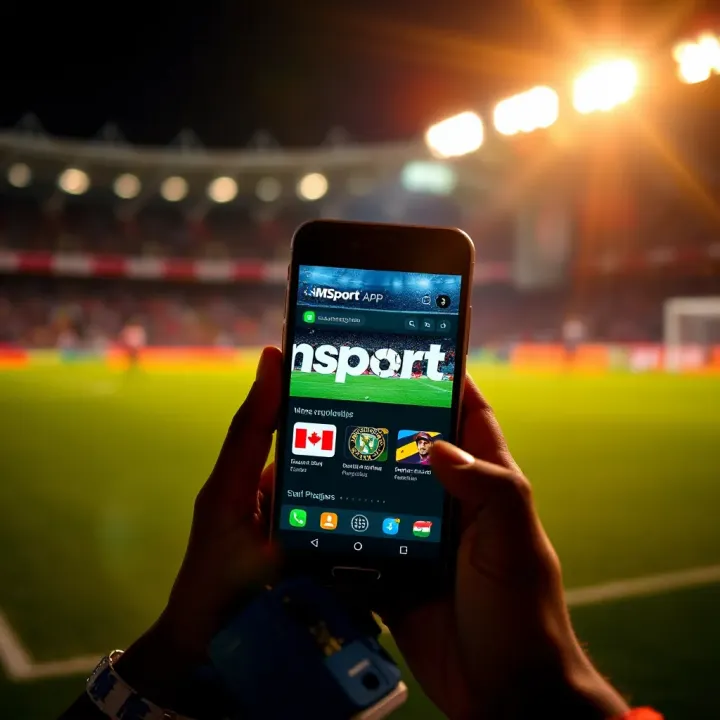
Localised content: Offering results and news that matter to Nigerians.
User-friendly interface: Easy to navigate with quick loading times.
Live updates: Real-time scores and alerts.
Data-efficient: Works well even with limited data bundles.
A compatible Android device running at least Android 5.0 (Lollipop) or higher.
Access to Google Play Store.
Active internet connection (Wi-Fi preferred initially).
Space for download and installation.
Open the Google Play Store on your phone.
In the search bar, type Msport and select the official app from the results.
Tap Install and wait for the download to complete.
Once installed, tap Open to launch the app.
The app opens with a clean dashboard showing current matches, news highlights, and betting odds where applicable. You can register or log in to take advantage of personalised features such as saving favourite teams or placing bets.
In the next sections, you'll learn how to navigate Msport's features effectively, troubleshoot common installation issues, and best maximise your user experience, especially within Nigeria’s sports and betting landscape.
Getting to know the Msport app is key if you want to take full advantage of what it brings to Nigerian sports fans. With the rise in mobile internet use across Nigeria, many now prefer to catch live matches, read sports news, or follow their favourite teams directly on their phones. The Msport app provides all these in one place, specially customised for local tastes and network conditions.
Msport gives you access to live streaming of several sports events, including matches from the Nigeria Professional Football League (NPFL) and international contests. This means you don’t have to miss your team’s thrilling moments even if you’re away from television. The app sends real-time updates and scores, keeping you informed wherever you are.
Beyond live games, Msport offers detailed news coverage and analysis from Nigerian leagues and global sports scenes. For example, it breaks down tactical plays from NPFL matches or reports on the latest trends in athletics. These insights help users make better predictions if they are into sports betting or simply want to deepen their understanding of the game.
The design of Msport is straightforward, focusing on ease of use. Navigation menus are clear, and the app loads quickly even on lower-end smartphones common across Nigeria. This user-friendly approach means you spend less time fumbling and more time enjoying content, whether you’re jogging in the park or stuck in Lagos traffic.
Msport focuses heavily on local sports, especially the NPFL, which is a passion point for many Nigerians. Following the NPFL live through the app gives fans the edge of staying connected with local heroes and up-and-coming talents. Unlike other platforms that prioritise international sports, Msport fills this critical gap for Nigerian sports fans.
The app covers a broad range of popular Nigerian sports. Whether it’s football, athletics events like the All-Africa Games, or basketball matches from the Nigerian Premier Basketball League, Msport provides timely updates and video highlights. This varied coverage suits the diverse interests of Nigerian users.
Data costs remain a challenge for many Nigerians, especially outside urban centres. Msport addresses this with data-saving modes, compressing video streams to reduce usage without losing much quality. This approach helps users enjoy high-quality sports content without burning through their airtime or data bundles.
Using Msport is like having a personal sports commentator and newsreader in your pocket, tailored for Nigerian fans’ needs and realities.
Downloading the Msport app correctly is essential to enjoy smooth access to live sports and updates without security risks or disruptions. Taking a step-by-step approach helps Nigerian users avoid common pitfalls such as downloading fake apps or installing incompatible versions that slow down devices. This section breaks down the process so you get the authentic Msport app on your phone with minimal hassle.
When searching for Msport on the Google Play Store, precise keywords make all the difference. Rather than typing vague terms like “sports app,” use specific phrases such as "Msport Nigeria" or "Msport live streaming". This narrows down the results and increases your chance of spotting the genuine app quickly. For example, typing just "Msport" often brings up various unrelated apps, so include details linked to Nigerian sports or the developer’s name, if known.
Using the right keywords is practical because it saves time and reduces the confusion that comes with multiple similar app names. This is especially useful in Nigeria, where many app clones and fake versions circulate, often designed to trick users.
Before clicking ‘Install’, take a moment to check who made the Msport app. The official app is typically published by a verified developer or company dedicated to sports content. You can spot the developer information beneath the app’s name on the Play Store page. If it lists a generic or suspicious name, be wary.
Also, look at the app rating and user reviews. A high rating – say, above 4 stars – combined with thousands of downloads and mostly positive comments usually indicate a reliable app. Pay attention to recurring complaints about crashes or suspicious behaviour. Nigerian users often share insights about bugs or fake apps in their reviews, so reading a few can save you from trouble later.
Before installing, ensure your device meets the basic requirements for Msport. Most modern Android phones running version 6.0 (Marshmallow) or higher will be compatible. To check your Android version, go to Settings > About Phone > Software Information.
Installing an incompatible version may cause the app to crash or refuse to open. If your device is older, you might want to consider updating the operating system or using the Msport web version via a mobile browser for a better experience.
During installation, only use the official Google Play Store prompts for permissions and downloads. Avoid any prompts asking you to download additional files or update outside the Play Store, as these can be signs of malware or fake apps.
Msport’s official app installation is straightforward—once you tap ‘Install’, the process should complete without redirecting you elsewhere. Nigerian users should be cautious of pop-ups or third-party sites offering alternative downloads, as these pose security risks.
Always download apps from trusted sources like Google Play Store and double-check developer information to stay safe and enjoy uninterrupted sports content.
Taking these steps ensures that Nigerian Msport fans get a smooth, secure start with the app, ready to catch up on all the local and international sports action without worry or delay.
Getting started with the Msport app is a crucial step for Nigerian sports fans who want to enjoy tailored sports content on their devices. Setting up your account and familiarising yourself with the app’s layout ensures you get the most relevant updates, live streams, and notifications based on your preferences. This early step saves time and improves your overall experience, making sure you don’t miss out on key matches or breaking news.
Registering on the Msport app is straightforward and offers flexibility by allowing you to sign up either through your email or via social media platforms like Facebook or Google. Using email registration means you provide your address and create a password, giving you direct control over your account. Signing in with social media is quicker and can sync your preferences across devices, handy if you often switch phones or tablets.
Once registered, you can set up preferences to personalise the content you see. For instance, if you are mainly interested in the Nigeria Professional Football League (NPFL) or basketball leagues like the Nigerian Basketball Federation (NBBF) games, you can mark these sports and leagues as favourites. This focus ensures your news feed, notifications, and live updates centre on what matters most to you, cutting out the clutter of less relevant information.
Finding live matches and highlights on Msport is user-friendly. The main dashboard presents ongoing games with clear indicators and live scores, so you can quickly see what’s happening in real time. If you miss a game start, the highlights section lets you catch up on key moments, goals, or exceptional performances from Nigerian and international sports. This is particularly useful during busy days or ember months when scheduling might clash with live events.
The news sections keep you informed on all-important developments, including transfers, coach opinions, and league standings. Msport also provides notifications that you can customise. For example, you might want alerts only for NPFL match starts or breaking news in athletics. These timely pop-ups help you stay connected without having to open the app constantly, which is essential given data limitations and power supply challenges many Nigerians face.
Taking the time to set your preferences and understand the core features will significantly boost your enjoyment of Msport and keep you in tune with Nigeria's vibrant sports scene.
With these starting tips, you’ll navigate the Msport app like a pro, getting timely, customised sports updates that make your daily experience richer and more enjoyable.
Using the Msport app on Nigerian networks comes with its unique challenges, primarily due to variable internet speeds and data bundle costs. Optimising app performance ensures smooth streaming, timely updates, and a better overall experience. This section offers practical tips tailored to the Nigerian internet environment.
The Msport app often includes data-saving or low-data modes designed to reduce the amount of data consumed while streaming live matches or watching highlights. Activating this mode is especially helpful if you're on a limited data plan or using networks where 3G or slower speeds prevail. For instance, streaming at standard definition instead of HD reduces data strain and buffer time without losing essential sports action. By toggling the data-saving option in the app settings, you can watch more content without burning through your ₦500 or ₦1,000 airtime bundle in no time.
Network congestion peaks during evenings and weekends, leading to slower speeds and buffering. Scheduling your downloads or streaming during off-peak hours, such as early mornings or late nights, often means faster connections and less interruption. For example, if you want to catch up on yesterday’s NPFL highlights, downloading them before dawn can save you data because networks tend to be faster and sometimes cheaper during these periods. This simple move saves money and improves video quality.
Slow loading or continuous buffering can spoil the sports-watching experience. A common cause is poor network coverage or high data usage elsewhere on your device. To tackle this, first check if other apps are running in the background eating your bandwidth—close those apps. Then, switch between Wi-Fi and mobile data to see which connection performs better in your area. If your Msport app still buffers often, consider reducing streaming quality within the app settings. Also, turning on airplane mode for a brief moment and reconnecting can sometimes clear temporary network hitches.
Remember, in areas with unstable network coverage like some Lagos neighbourhoods or rural parts far from fibre-optic lines, buffering issues are quite normal unless you use premium LTE or fibre subscriptions.
If Msport refuses to update or install, it might be due to insufficient storage space on your phone or incompatible Android versions. Check your phone’s storage in settings and clear some cache or unused apps to free up space. Also, verify that your device runs Android 5.0 or higher, as older versions may block the app installation. Sometimes, a quick restart of your phone refreshes system processes and fixes minor glitches preventing installation. Lastly, ensure your Google Play Store app is up to date, as outdated Play Store versions often cause installation problems.
These performance tips help you enjoy Nigerian football and other sports coverage on Msport without constant interruptions or unexpected costs.
Downloading apps from the Google Play Store might look straightforward, but there’s always a risk of running into fake versions, especially with popular apps like Msport. Ensuring you get the official app protects your device from malware and keeps your personal information safe. Besides, fake Msport apps might mislead you with poor content or try to scam you, which can cause frustration and even financial loss.
One of the easiest ways to identify genuine Msport apps is by checking reviews, download numbers, and developer information. Genuine apps usually have thousands or millions of downloads, with many users leaving detailed ratings and comments. You can see if the developer is consistent with other apps or if the developer’s name matches the official Msport publisher. For example, if the official developer uses a company name like Msport Technologies Ltd, be cautious of apps developed by unfamiliar or suspicious-sounding entities.
Download numbers matter because fake apps often have low downloads or very recent upload dates. High download figures generally indicate a trusted app, but you should still read reviews carefully. Sometimes impostors may inflate their ratings, so look out for patterns of repetitive or suspicious comments.
You should also avoid apps requesting excessive or strange permissions. Some fake apps will demand access to your contacts, SMS, or even microphone without good reason. Similarly, intrusive or frequent adverts within the app might signal a poorly designed or scammy version. The official Msport app, focusing on live sports content, should not need permissions unrelated to streaming or notifications.
Before you install Msport or any app, review the permissions it asks for. Accept only those that are necessary for the app's operation. For instance, Msport requires internet access to stream games and send notifications—not access to your microphone or contacts. Granting needless permissions exposes you to risks like data theft.
Beware of in-app scams and phishing too. Fake apps or even malicious ads within the app may try to trick you into revealing banking details or OTPs. Never share your BVN, bank login, or passwords through the app or its adverts. Reporting suspicious behaviour through the Play Store helps protect others.
Always download apps directly from the official Play Store using trusted search terms, and stay alert to unusual app behaviour or requests. These simple steps save you from future headache and keep your data secure.
By following these safety tips, you can enjoy Msport’s rich sports content without worry on your Android device. Avoiding impostor apps and protecting your details ensures smooth, secure access to Nigeria’s favourite sports updates.
👟 Learn how to safely download and install the latest MSport app APK in Nigeria. Get tips on using features, fixing common issues, and boosting your streaming and betting experience today!

Download Lucky Jet Msport app 🇳🇬 on your phone, learn safe installation steps, troubleshoot common issues & enjoy top mobile gaming tips made for Nigerian users 🎮📲
📱 Learn how to safely download and use MSport Mobile in Nigeria for easy sports betting. Get tips on installation, app features, security, and quick fixes for smooth play.
📲 Learn how to download and use the mSport app in Ghana safely. Get step-by-step guides, device compatibility tips, and ways to fix common issues quickly ⚽🏀
Based on 12 reviews